
Docsense: Best Open-Source Docusaurus Search Plugin 2027
Docsense builds a static JSON search index from your Markdown and MDX during the build and ships it with your Docusaurus site. Here is how it works.
Project Links - Docsense (docusaurus-plugin-docsense) is an open-source search plugin for Docusaurus, released under the MIT license. You can check the code on GitHub, try the live demo and docs, or install it directly with npm install docusaurus-plugin-docsense
Building a static documentation site with Docusaurus comes with its own set of challenges. You need to organize your content, set up navigation, manage versions and configure deployment. But search is a different story.
Unlike many modern documentation platforms, Docusaurus does not include a built-in search engine. If you want readers to search across your documentation, you need to integrate a third-party service, configure an external crawler or build your own search infrastructure.
Each option comes with some trade-offs. Hosted search services may require an application and approval. External crawlers can take time to index newly published content. Private documentation adds another challenge because external crawlers cannot access content behind authentication.
If you are looking to build your career as AI native Documentation engineer or you feel stuck as a normal tech writer, check out my end to end course below.
https://satyaseel.gumroad.com/l/lugozs
What you really need is a search system that works with the way you already build documentation. It should index your Markdown files, update when you deploy changes and work without requiring a separate service to manage.
That is why I built Docsense. It brings search directly into your documentation site, using your existing Markdown files without the overhead of maintaining separate search infrastructure.
Search should be part of the build
Docusaurus already processes your Markdown and MDX files during a production build to generate documentation pages. Those same files contain everything a search engine needs: page content, headings and structure. Most external search solutions take a different approach. They crawl your published website, extract its content and create a separate search index. This introduces another process to manage and another system that needs to stay in sync with your documentation.
There is no reason to make search a separate step when the content is already available during the build. Your documentation build can generate both the website and its search index.
What is Docsense?
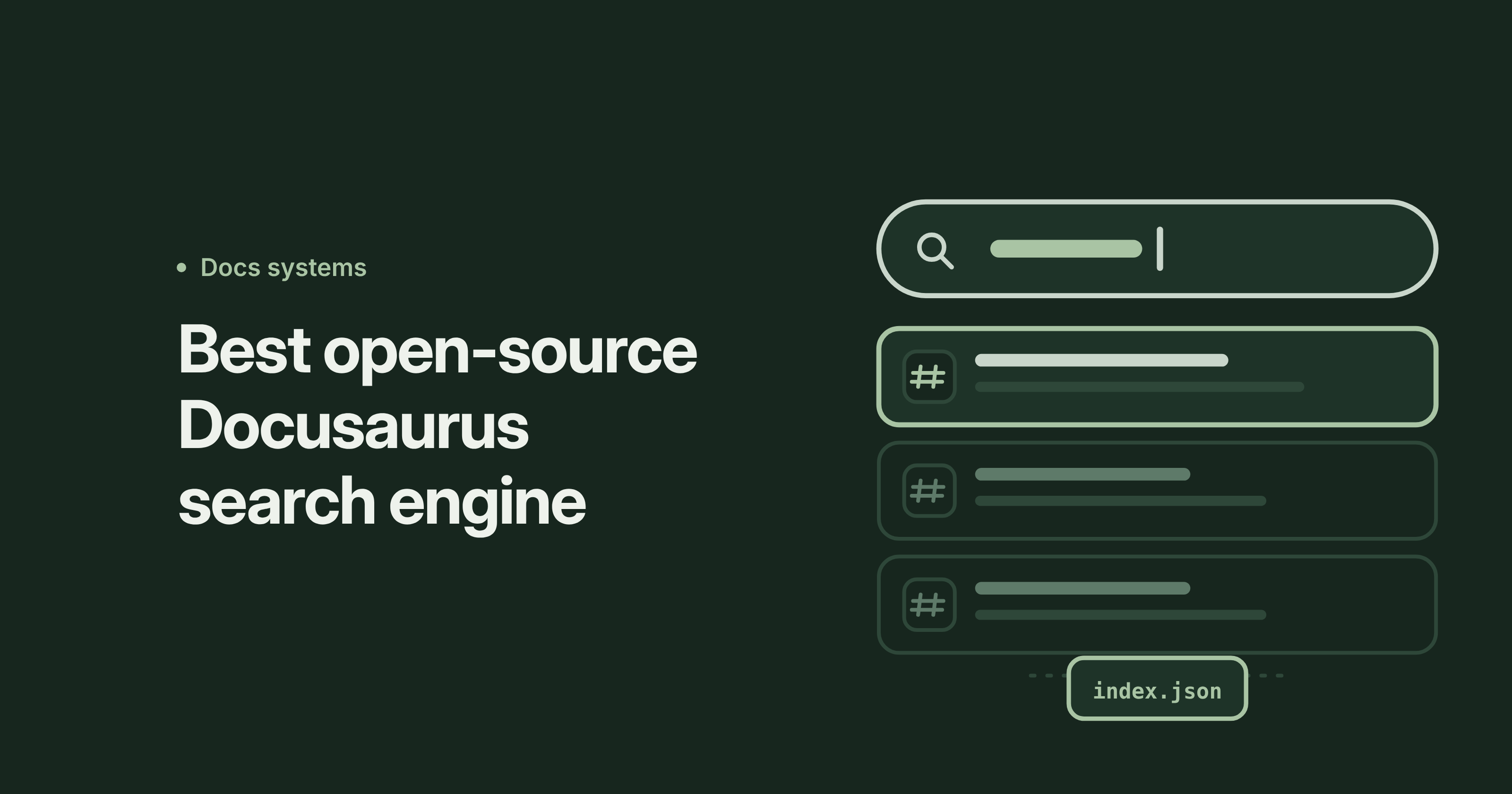
Docsense is an open-source static search engine built for Docusaurus. It reads your Markdown and MDX files during the production build and generates a lightweight JSON search index (index.json). The index is deployed alongside your documentation as a static asset. When someone searches your site, Docsense uses that index directly in the browser to find relevant content.
There is no external crawler, hosted search service or separate search server to maintain. Your search index is generated from the same source files as your documentation.
Getting started
Getting started with Docsense is super easy and just takes three steps:
- Install the Docsense package.
- Add the plugin to your Docusaurus configuration.
- Run your production build with
npm run build.
npm install docusaurus-plugin-docsense
JavaScript
// docusaurus.config.js
module.exports = {
  plugins: ['docusaurus-plugin-docsense'],
};
After the build finishes, the search bar appears in your navbar automatically.
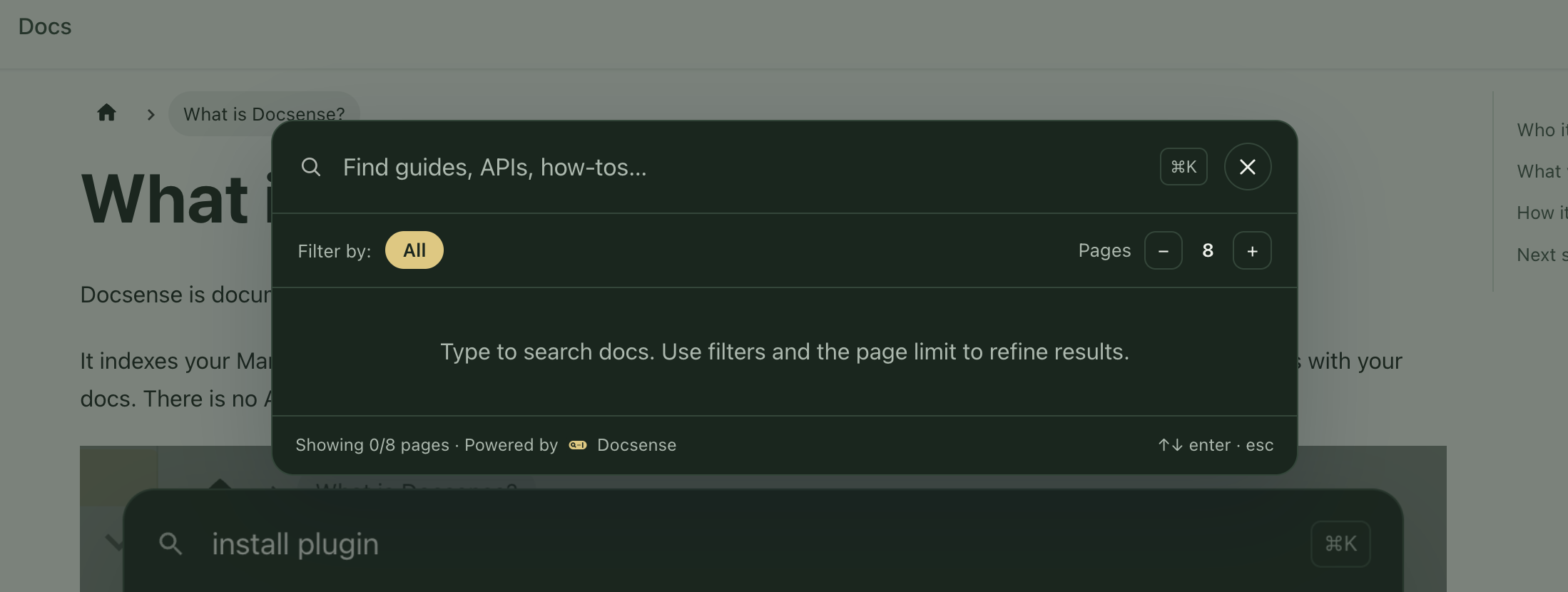
Docsense generates the search index as part of the build process and deploy your site as usual. The search index goes live with it as soon as your build finishes.
Get my book on how to become an AI Native Technical writer here below.
https://satyaseel.gumroad.com/l/ai-native-technical-writing
Indexing of pages
Docsense generates the search index during docusaurus build, so it always stays in sync with your documentation. When you update a page, its search entry is updated in the same build and deployed alongside your site. No separate indexing process or deployment is needed.
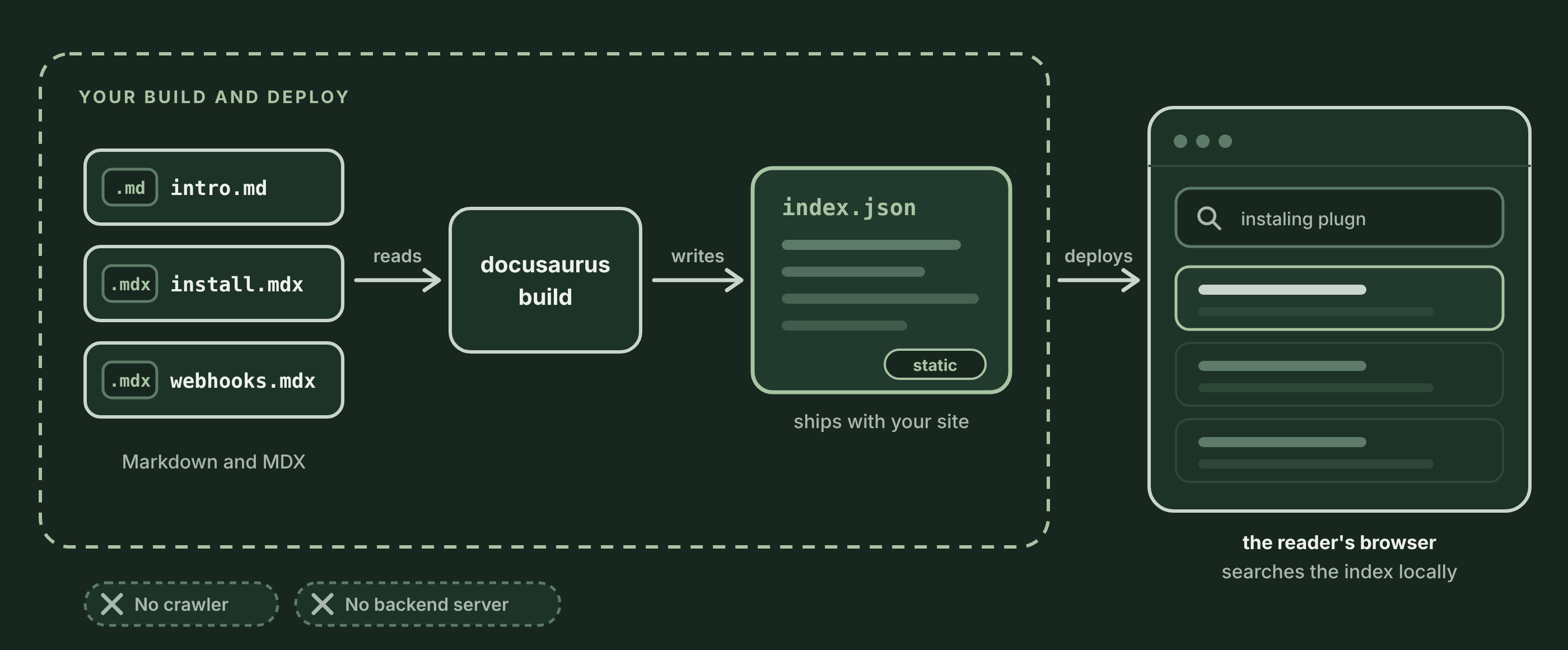
Docsense reads your Markdown and MDX, writes the static index, and lets it deploy alongside the rest of your site. You do not schedule a crawl, and you do not wait for one.
What a reader sees
Say a reader opens your docs late in the evening and presses ⌘K (or Ctrl+K). They type a few words, and a modal lists the exact sections that match. Each result shows its breadcrumbs and a short snippet so the reader can tell whether it answers their question before clicking.
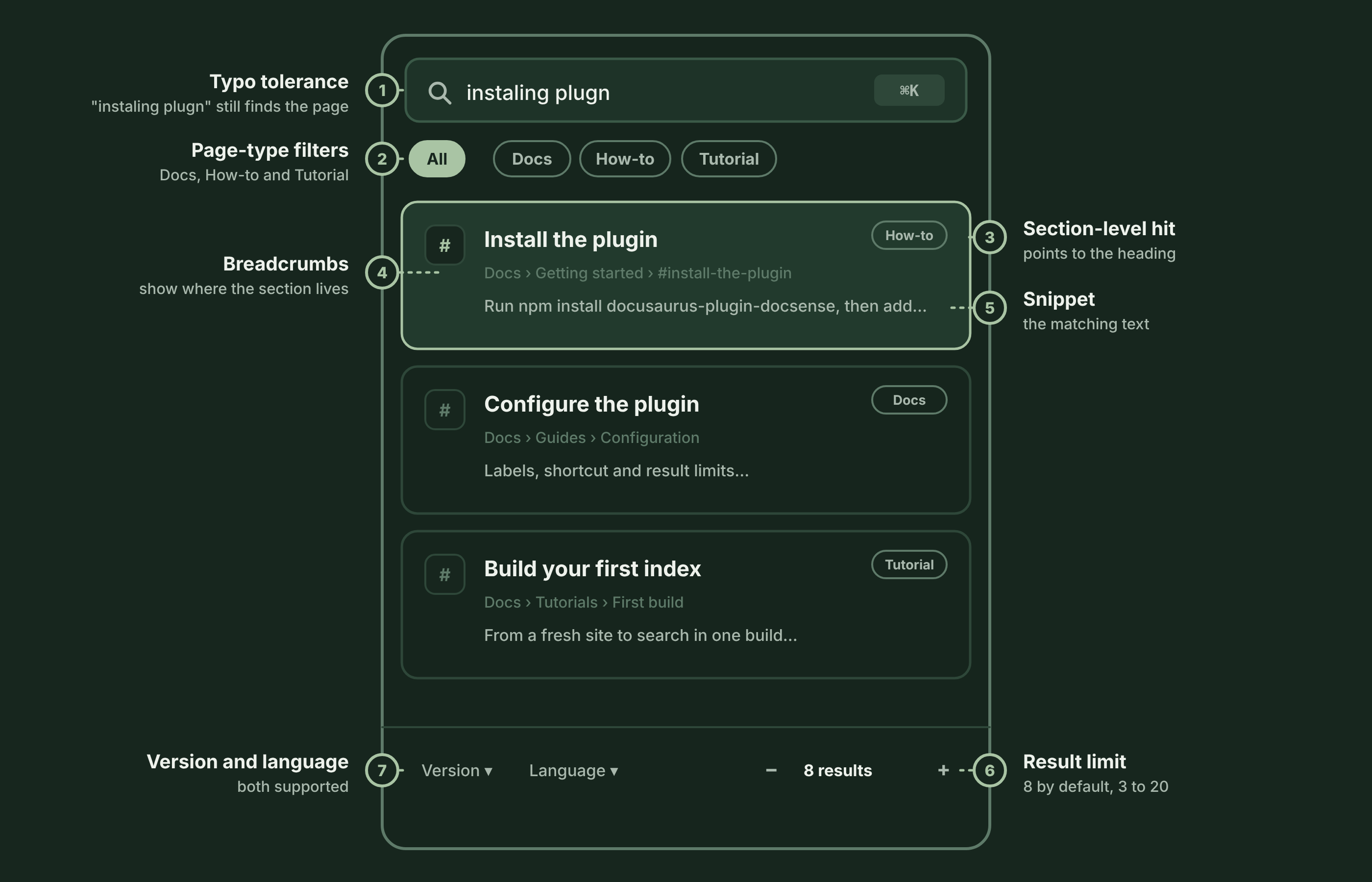
Search results take readers directly to the relevant H2 or H3 section instead of always opening the page from the beginning. This makes it easier to find specific information in long guides with multiple sections.
Docsense also makes search more flexible with the following features:
- Typo tolerance: Finds relevant results even when readers make spelling mistakes. For example, searching for
"instaling plugn"can still return"Install the plugin". - Word stemming: Matches related word forms. For example, searching for
"installing"also returns results containing"install". - On-page highlighting: Highlights the search terms on the destination page, helping readers quickly identify the relevant content.
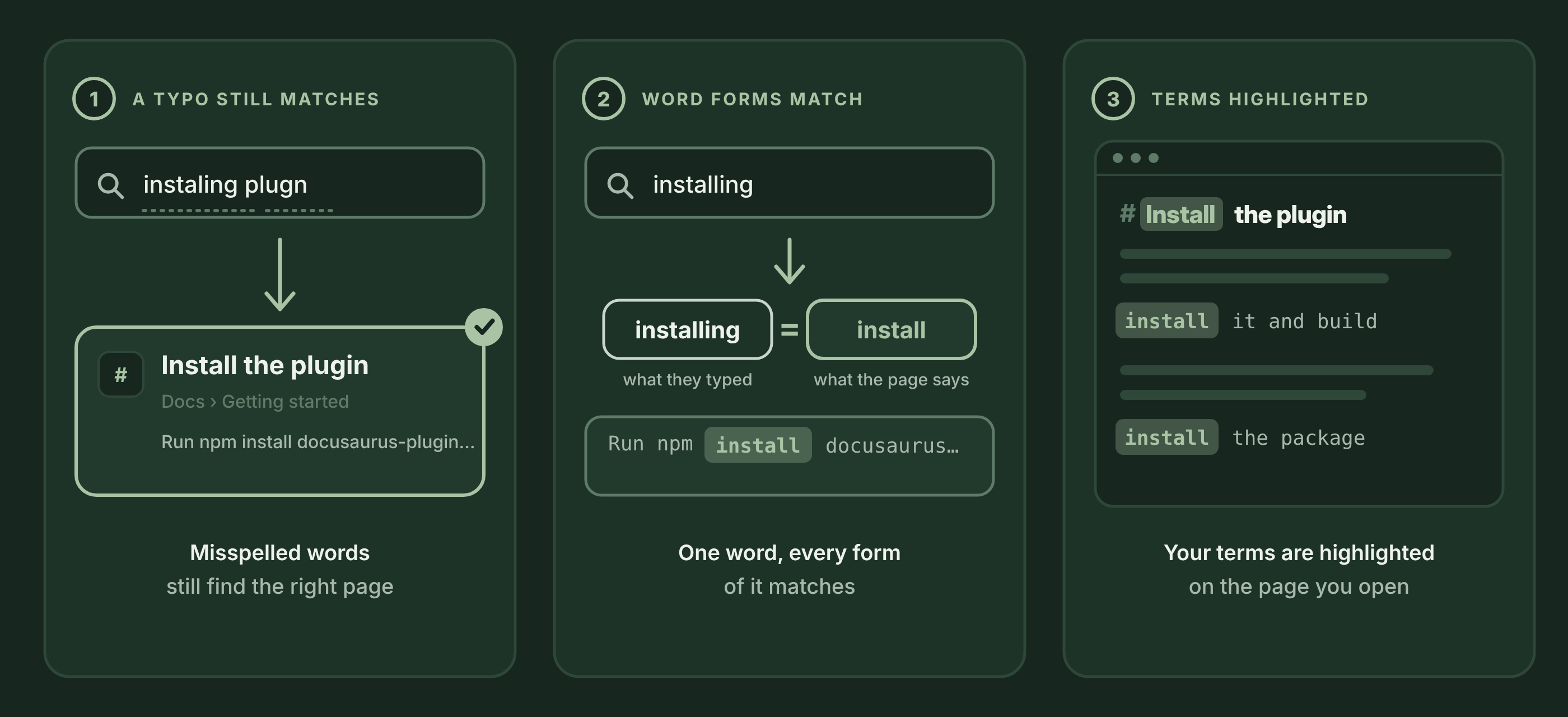
The search modal also lets readers filter results by page type, such as Docs, How-to and Tutorial. Docsense identifies these types from your file paths or frontmatter. It also supports Docusaurus versioning and multiple languages. Readers can choose how many results to display, from 3 to 20, with 8 results shown by default.
If you work in technical writing domain and feel stuck, this is what else I do
I am a documentation engineer who helps technical writers move into API documentation and AI-assisted docs work. Connnet with me for 1:1 Career Mentorship, Career mentorship, mock interviews for technical writing roles, and resume and portfolio reviews.
https://topmate.io/harshit_satyaseel
Customize the Docusaurus search experience with Docsense
Your search interface should feel like part of your documentation site, not an external tool. Docsense lets you customize UI labels, keyboard shortcuts and CSS variables to match your existing Docusaurus theme.
The search index is also a plain JSON file. You can open index.json to inspect exactly what content is included in search. This makes it easy to audit indexed pages and verify what readers can find. Unlike hosted search services, Docsense gives you direct access to the index generated during your build.
Docsense fits into your existing docs-as-code workflow
Docusaurus documentation typically lives in Git and follows a familiar workflow: pull requests, code reviews and CI builds. Search should follow the same process.
Docsense generates the search index from the same Markdown and MDX files used to build your documentation. When a page changes, its corresponding search entry changes in the same build. There is no separate crawler to schedule, external index to update or second system to keep in sync.
Keep private Docusaurus documentation within your network
Docsense runs entirely within your build environment. It does not send your documentation to an external crawler or cloud-hosted search index. Your content stays within the environment where you build and deploy your site. There is no vendor approval process, external account or separate indexing service to configure. The generated index is part of your own deployment, so you control where it is stored and who can access it.
Keep in mind that the search index follows the access controls of your deployed site. If your documentation requires authentication, you must protect the generated index with the same access controls.
Docsense limitations and when to choose hosted search
Docsense uses a static JSON index that is downloaded and searched in the reader's browser. This keeps the infrastructure simple, but the size of the index matters. If you maintain a very large documentation site, test search performance and index download size against your actual content before adopting it.
Docsense is a good fit when you want:
- Search generated directly from your Docusaurus Markdown and MDX files.
- A fresh search index with every production build.
- A static JSON index that you can inspect and control.
- No external crawler, hosted search server or separate indexing pipeline.
A hosted search platform may be a better choice if:
- You need managed search analytics and cloud infrastructure.
- You already use Algolia or another hosted search provider across multiple products.
- You want integrated Ask AI or conversational search capabilities.
- You need to search across multiple products, websites or content sources beyond your Docusaurus documentation.
Conclusion
The easiest way to evaluate Docsense is to install it, build your documentation and try searching your own content. Once the build is complete, open your site and press ⌘K on macOS or Ctrl+K on Windows and Linux to open the search modal.
Docsense is an open-source project, and feedback from developers and documentation teams will help shape its development.
About the author
- I’m Harshit Satyaseel, a documentation engineer with 7+ years of experience building developer documentation at TIBCO, Confluent and Suki.AI. I own the developer docs end-to-end, from API and SDK references to docs-as-code pipelines, automation and AI-ready documentation. I’m the author of The AI-Native Technical Writer, and I write about documentation, AI workflows and technical writing careers on Medium, including Level Up Coding. I also mentor technical writers 1:1 on careers, interviews and using AI well in their work.
Comments
Join the discussionNo comments yet. Be the first to comment.